Explore a population
Build a record of alternatives instead of evaluating one parameter combination at a time.
 morpho.
Get Morpho
Explore, compare, and refine a world of design alternatives.
Generative design for Rhino and Grasshopper, guided by you.
Morpho turns a parametric model into a space of alternatives. Generate, compare, and refine—while keeping your judgment at the center of every decision.
Morpho Design Explorer is a multi-objective, evolutionary design exploration tool for Rhino and Grasshopper. It generates alternatives from your parametric model, records their performance and images, and helps you choose where the search goes next.
Some design goals are numerical. Others live in the proportions of a form, the character of a space, or the intent of a project. Morpho lets you consider both: compare the values supplied by your analysis tools, examine the alternatives visually, and select the designs worth developing.
Understand the methodBuild a record of alternatives instead of evaluating one parameter combination at a time.
Retain saved solutions, their data and their views as the study develops.
Use performance criteria and selected solution IDs to define the parents of the next generation.
A curve. A span. A set of parameters.
Give your idea room to change.
Explore different combinations with the Gene Generator. Keep each solution, its images, and its performance data.
Choose promising parents. Adjust your criteria. Continue exploring with everything you have learned.
Change a parameter. See a new possibility.
A small taste of thinking with Morpho.
A structure is a family of possibilities.
Make this one yours.
Interactive illustration, not an engineering analysis. Run your own models and simulations in Grasshopper.
Move freely between the shape of a solution
and the numbers that tell its story.
Six connected capabilities turn a Grasshopper definition into an exploration you can generate, record, revisit and explain.
Start with random alternatives, then generate from selected parents. Slider ranges and precision define the variables. Mutation Probability introduces new gene values; Spread Factor controls how widely children vary around their parents. Set an iteration limit and inspect the eligible parents directly.
Meet the generation tools ↗Choose IDs, set numerical thresholds, rank values, or combine rules with AND, OR, NOT, NAND, NOR and XOR. Write an expression when it is the clearest way to describe your criteria.
Explore every filter ↗Collect named inputs, numerical analysis outputs, multiple viewport images and textual files. Each saved solution connects its visual character to its recorded values.
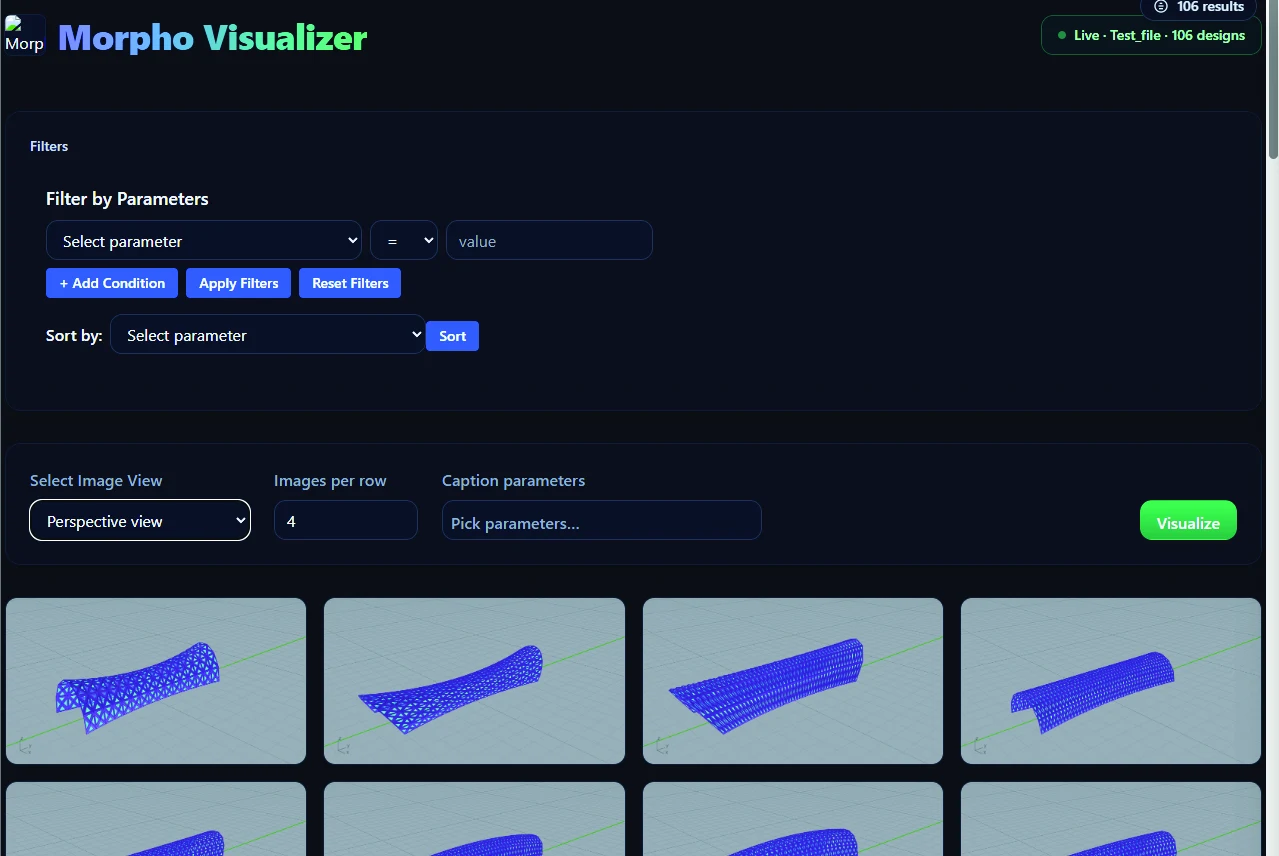
See how capture works ↗Browse a gallery, change image views and captions, filter and sort results, and inspect individual solutions. Compare two or three parameters with scatter plots, or more with parallel coordinates.
Explore the Visualizer ↗Organize by folder and project name. Save to a local SQLite database, a regenerated CSV, and tagged media folders. Revisit saved alternatives and export values for further analysis.
Understand your project files ↗Work with Rhino 7 or 8 on macOS or Windows. The setup application detects Rhino and includes an alternative manual installation. Use the embedded viewer on supported Windows configurations or the browser viewer on macOS and other supported modes.
Installation & compatibility ↗From the first parameter to the next generation.
All connected in Grasshopper.
Set intervals, mutation probability, and spread. Connect your model to Gene Generator and explore within the bounds you define.
Combine inputs, analysis outputs, and viewport captures. Save each solution to your local population database and CSV.
Use IDs, expressions, rankings, and Boolean filters to select parents. Let your design priorities guide the next generation.
ID IN (46, 73) AND Weight < 40000Select specific parents and apply performance criteria in a single expression. Parameter names match your model.
Explore truss rise, depth and subdivision. Compare the quantities your analysis provides—such as member lengths, material use or displacement—with the form you want to create.
Connect a façade or shading model to your own analysis tools. Compare recorded performance with captured views to investigate the compromises among your design goals.
Make relationships between variables and outcomes visible. Keep an inspectable record of alternatives and use exported data and charts to communicate your decisions.
These are possible applications of your own models and analysis tools. Morpho supplies exploration, recording and review; it does not include structural or environmental simulation engines.
Explore the possibilities ↗Inspired by the Morpho butterfly.
Built for the way designers think.
Meet the components. Understand the method. Find your way from a first generation to a meaningful design decision.
DOCUMENTATION · PDF · 35 PAGESMorpho 2.0 User ManualRESEARCH · KHODADADI & VON BUELOWDesign exploration with GA + TRIZQUICK START · MORPHO 2.1Build your first Morpho workflow
Install Morpho, connect your definition, capture results and select the next generation.
Start here ↗02 / COMPLETE REFERENCEExplore all 16 active components, their connections, the full filter language and selection behavior.
Browse the toolkit ↗03 / VISUALIZER GUIDEMove between image galleries, scatter plots, parallel coordinates, datasets and exports.
Look closer ↗YOUR NEXT POSSIBILITY STARTS HERE.Morpho 2.1 for Rhino 7 & 8.
Ready for your next Grasshopper definition.
Free to download. Rhino is required. Includes setup and manual installation packages.
Morpho 2.1 · Includes the Morpho 2.0 workflow documented in the user manual.
Extract the ZIP, open Morpho Setup, and select Install Morpho. Save your work when Rhino asks to close. Reopen Rhino and look for the Morpho tab in Grasshopper.
The installers are unsigned. macOS may require “Open Anyway” in Privacy & Security. Windows may show a SmartScreen prompt. Rhino 7 on Apple Silicon uses Rosetta.
Full installation instructions ↗Morpho generates parameter combinations for a Grasshopper model, saves the resulting inputs, numerical outputs and media, and provides a viewer for comparing alternatives. You select the parents and criteria that guide further exploration.
You supply the parametric definition and any analysis tools it needs. Morpho drives its parameters and records the values you connect. It does not supply a structural solver, environmental simulator or automatic model-building system.
Morpho uses a genetic-algorithm-based exploration workflow. It works with your explicit parameter ranges, model and selected parents. It is not a text-to-image service or a language-model-driven geometry generator.
Yes. Record multiple numerical outputs, combine fitness conditions, and compare parameters visually. You can also choose particular solution IDs based on qualities you assess in the images. The process supports both measurable objectives and designer judgment.
A valid filter with no matching parents produces random parameters. An invalid expression stops generation and reports an error. Check the Parents output and component messages before continuing.
No. Its filters control the displayed alternatives. To guide a new generation, use their IDs or numerical criteria in the Grasshopper fitness filters connected to Gene Generator.
In the local folder and project selected through Directory: a SQLite database, a CSV export, and tagged image or text folders. The CSV is regenerated after saves, so manual CSV edits are replaced. The core workflow needs no Morpho cloud account.
The downloads support Rhino 7 and Rhino 8 on macOS Intel and Apple Silicon, as well as Windows 64-bit Intel/AMD. Rhino 7 uses Rosetta on Apple Silicon. Use an operating system supported by your Rhino version; the macOS Visualizer opens in your browser.
The manual explains Pareto fronts, but the current bundled 2.1 viewer does not expose an automatic Pareto-front calculation or highlight control. Use its plots to inspect trade-offs, or analyze the exported values separately for exact non-dominated selection.
The illustrated manual was published as the Morpho 2.0 User Manual in October 2026. The downloadable software is version 2.1.0. These website guides describe the current build and explain the relevant differences.
Yes. A separate Rhino installation is required. The manual identifies Morpho under Creative Commons Attribution–NonCommercial 4.0 International; consult its terms for your intended use and contact the project team about licensing questions.